Give your AI a physical side phone.
A real Android phone your agent can see and touch, driven by one CLI.
burner hands an AI agent a dedicated Android phone. It reads the screen as a UI tree, taps buttons, types into fields, opens deep links, takes screenshots, and pulls email verification codes. Everything runs through pc.
Linux or macOS, Python 3.10+. Installs to ~/burner. No sudo.
Why a phone
Plenty of apps have no API, no MCP server, and actively block bots in a browser. A spare phone on your network is a legit client those apps cannot tell apart from you holding it.
- MarketplacesVinted, local resale apps
- Social and datingSnapchat, Tinder, Messenger
- BankingMost mobile banking apps
- Store appsApps that fingerprint automation
For AI agents
Agents: read the skill, then run the installer.
useburner.si/skill.md · full agent guide
useburner.si/llms.txt · short brief
Pairing needs a human once, about 10 minutes. After that, reboots need no one.
How it works
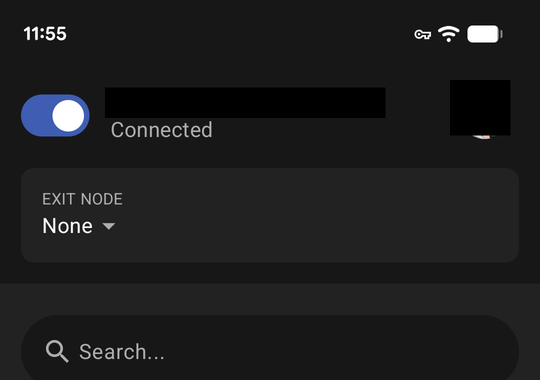
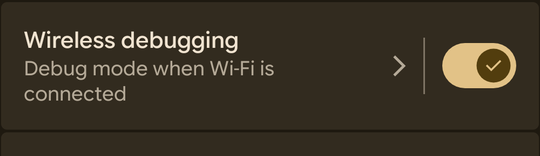
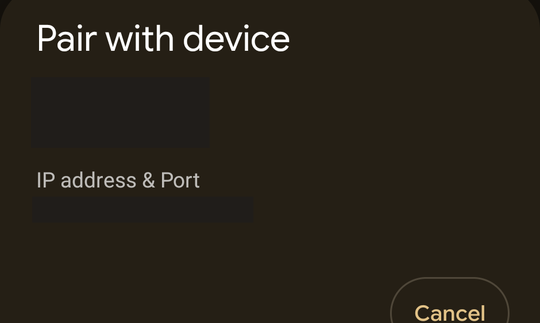
The phone runs wireless debugging. The agent's machine reaches it through a local socat tunnel to the phone's tailnet IP. Pairing is one-time with a 6-digit code; after that the adb key stays authorized.
adb-auto-enable re-enables ADB on every boot on fixed port 5555, and Tailscale runs as an Always-on VPN, so a reboot comes back on its own. pc ensure heals a wedged stack in about 5 seconds.
Commands
- pc dump
- List visible UI text and bounds.
- pc tap "Text"
- Tap the node with that text. Refuses to guess when ambiguous.
- pc type "text"
- Type char by char, safe on React Native fields.
- pc open <url>
- Fire a deep link straight into an app screen.
- pc vcode --from …
- Wait for the code field, pull the email code, type it, submit.
- pc doctor
- End-to-end health check: tunnel, adb, daemon, screen.
- pc setup
- Guided pairing wizard with a screenshot for every human step.
Pairing walkthrough
pc setup walks a human through pairing once, about 10 minutes. Keep the phone in hand: codes expire in about a minute.
Benchmarks
Pixel 7 over Tailscale, 2026-09-30.
| Operation | Time |
|---|---|
| Cached UI dump | ~0.09s |
| Cached tap (dump cache hit) | ~0.33s |
| Cold exact-text tap | ~0.56s |
pc wait (match found) | ~0.77s |
| Cold UI dump | ~1.01s |
FAQ
Is the phone exposed to the internet?
No. The tunnel binds to localhost and reaches the phone over Tailscale or your LAN. Never expose the adb tunnel publicly: anyone who can reach it gets full control of the phone. ADB itself is unencrypted, so use trusted networks only.
What happens to verification codes?
They come from email, never SMS. The phone has no SIM. Codes are pulled, typed as plain text, and never written to disk.
Will it buy things on its own?
Never. Typing and submitting are two separately approved steps. Every purchase, message, or post needs an explicit human yes for that specific action.
What stays on my machine?
config.env holds your tailnet IP and ports and is gitignored. Screenshots land in shots/, also gitignored. Pairing codes never go in config files.
What if the phone reboots?
Wait about 60 to 90 seconds for boot plus about 30 seconds for adb-auto-enable to move ADB to port 5555, then run pc ensure. Tailscale comes back by itself as an Always-on VPN.
Why do dumps come back empty?
The screen fell asleep. Keep the phone on its charger so it stays awake through long flows.
A security prompt appeared on the phone. Approve it?
Only if you started it. Every new computer that connects triggers an on-device authorization prompt with a key fingerprint. That prompt is the tripwire.